


 404
404
If you are not logged into your APU account, and you have access to your Cougar Lock (MFA/6-digit codes), click here to reset your password.
Please note: You MUST NOT BE LOGGED IN for this process to be successful
If you see the default home.apu.edu page (as shown below), you must clear your cookies and cache. Here is our Support Article, with instructions on how to clear your browsing data: Clearing Browser Cache
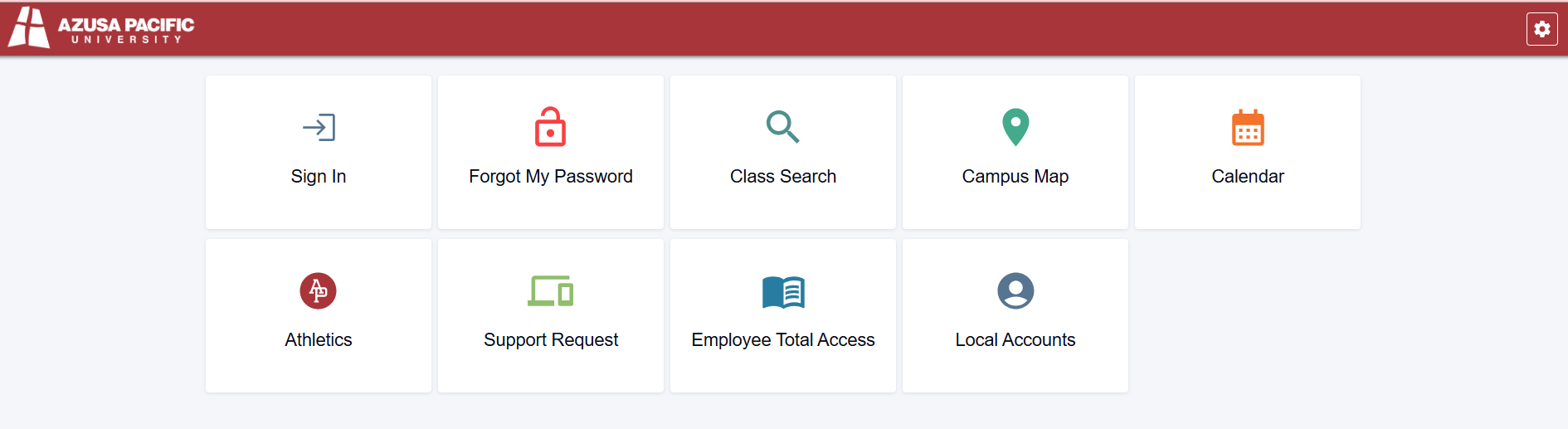
Instructions:
When you click on the link, it should ask for your APU NetID. Enter your NetID, and hit Submit. Your NetID is the first part of your APU email WITHOUT the @apu.edu. You should receive a password reset link to your personal, Non-APU email address on file. After you click on the link in the email, you will be asked to enter your 6-digit code from the authenticator app to reset your password. If you DO NOT have access to your codes, please reach out to [email protected].
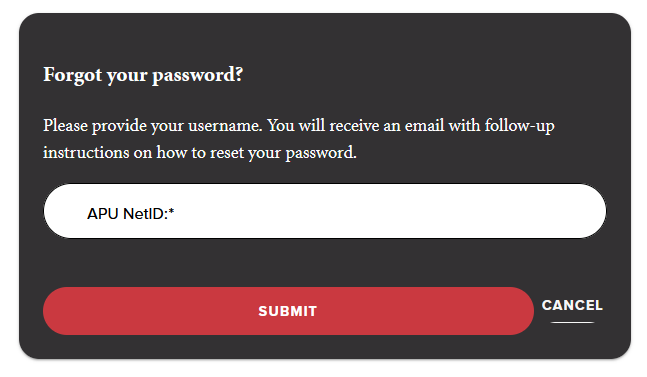
Net ID: Name of your APU email (without the @apu.edu)
Example NetID: apucougar25
If you see an error as shown below, please contact the Support Center at [email protected].
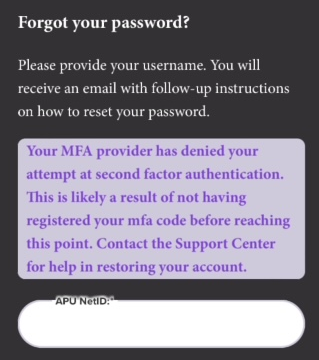
Why does this error appear?
1) You do not have a personal email on file
2) Your MFA is not set up
3) Your account is locked or there is a different account issue
If you run into any issues, or you do not have access to your authenticator, please email [email protected] or give us a call (626) 815-5050.

